Baby shower games online · by BabyShowerShow
Less printing.
More “one more round.”
Put a clue on the screen. Let everyone guess. Reveal the answer together. BabyShowerShow gives you 20 ready-made baby shower games for a TV, laptop or video call, run by one host with no app and no guest accounts. Six questions are free to try with no signup; the full show is $9.99 once for 30 days, with no subscription.
Try 6 questions free →No signup or card needed. Play in your browser.
On your phone? The show runs on a TV or laptop.
Full show: $9.99 once · 30 days from purchase · no subscription
Updated
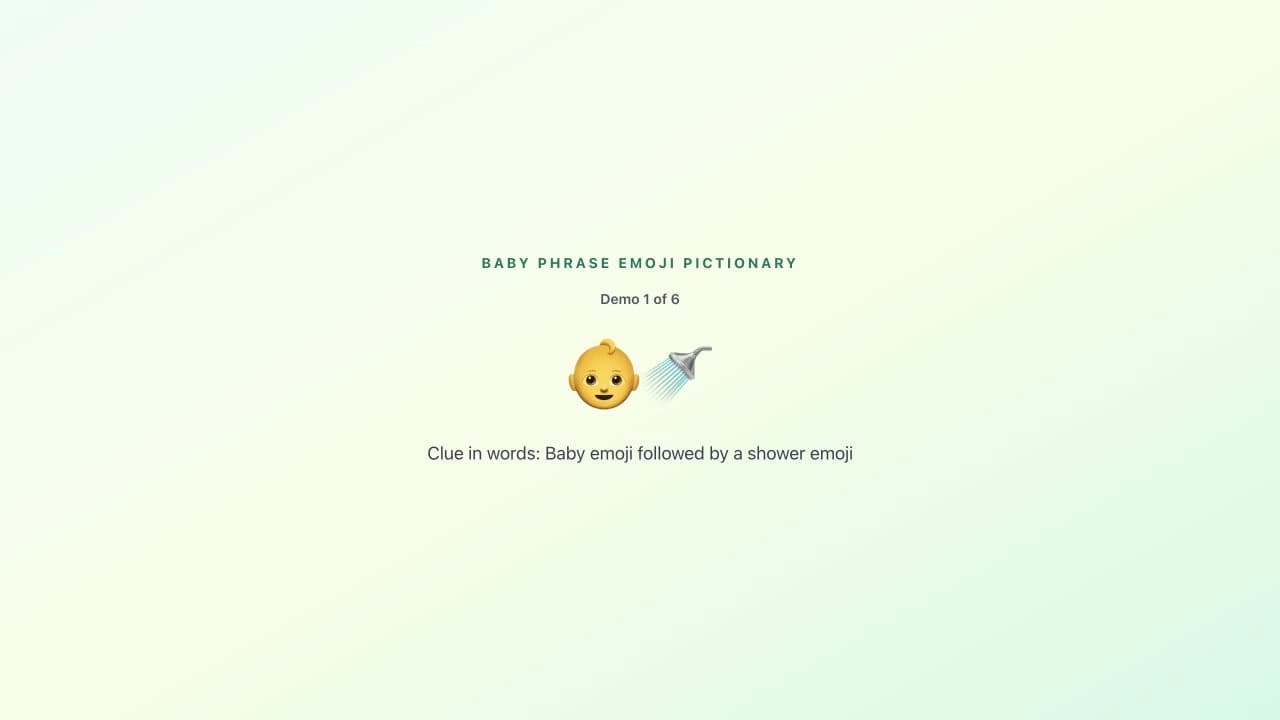
One clue from the six-question showcase
👶🚿
Baby emoji followed by a shower emoji
A real demo clue. You control the reveal.
You already have a shower to organize. The games can be ready-made.
Finding questions is only part of the job. There are sheets to print, answers to keep track of and a room of people to bring into the same game.
With one shared screen, everyone sees the same clue. Guests call out guesses or answer in teams; you reveal when the room is ready. No guest logins, downloads or stack of worksheets.
See the game before you buy
One screen. Everyone in on it.
- 1
Show a clue
Put the game on a shared display, or share your browser window on a video call.
- 2
Let the guesses fly
Play aloud or in teams. For remote guests, spoken answers or the call’s chat work too.
- 3
Reveal, react, repeat
You choose when to show the answer. Add team points yourself and move on when you’re ready.
Three things you can stop juggling
01
Making the slides
Choose ready-made emoji, trivia and word games. Save a lineup, choose shorter rounds and rehearse before guests arrive.
02
Keeping the room together
Everyone watches the same screen. Pause for conversation, skip a question or reveal an answer at your own pace.
03
A separate score sheet
Use the built-in team scoreboard and optional question timer. You award the points, so house rules stay yours.
Try it first. Decide after.
A free taste of the show. One pass for the whole party.
Check that the games and your screen setup feel right before paying.
The free demo
$0
- ✓ Six questions across emoji, animals and word scramble
- ✓ Answer reveals, team scoring and a mini finale
- ✓ Replay the same six questions whenever you like
- ✓ No signup, email or card details
The Show Pass
$9.99one-time
- ✓ All 20 full games, 300 questions in total
- ✓ Choose your lineup and 5, 10 or 15 questions per game
- ✓ 30 days of access starting on the day you buy
- ✓ No subscription or auto-renewal
Shower more than 30 days away? Try and plan now; buy closer to the date.
What’s in the full collection?
20 games across five categories. Each full game has 15 questions.
Emoji pictionary · 5 games
Baby phrases, nursery rhymes & movies →
Trivia · 6 games
Baby animals, baby facts & more →
Guessing games · 4 games
Prices, gadgets & candy-name matches →
Word scramble · 3 games
Baby words, pregnancy terms & jibber jabber →
Finish the phrase · 2 games
Parenting phrases & kids’ song lyrics →
Explore all 20 games and their rules →Before you host
What can I try for free?
Six questions across emoji pictionary, baby animal names and word scramble, including answer reveals and a mini finale. The demo always uses the same six questions. No signup, email or payment details are needed to try it. Planning and rehearsal are also free.
Do guests join on their phones?
No. This is a host-led game on one shared screen. Guests say their guesses aloud, agree on team answers, or use your video-call chat. They do not need an account, an app or a join code. The host reveals answers and awards points manually.
Can I try it on my phone and host on a laptop?
Yes. Try the demo in your phone’s browser. For the shower, use a laptop with a TV or projector, or share the browser window on Zoom, Meet or Teams. An internet connection is required. Check your display and sound before guests arrive; screen sharing depends on your devices.
What does the Show Pass include?
A one-time $9.99 payment unlocks all 20 full games and 300 questions for 30 days from purchase. Each game has 15 questions; you can choose shorter rounds. There is no subscription or auto-renewal. Buy within 30 days of your shower so your pass covers the event.
Do I need an account to buy or restore my pass?
There is no account or password to create. Stripe collects your email at checkout so your purchase can be restored. On another device, use Restore my pass with the email you paid with. Your saved game plan and personalization stay in the browser where you created them.
How many games should I choose?
Start with two to four games and leave room for food, gifts and conversation. Try an emoji round first, then add trivia or a word game to suit your guests. Rehearse your setup before the event; the host controls the pace and can skip a question or take a break.
Would printable games suit my shower better?
Paper can be a better fit when you want quiet individual answers or do not have reliable internet and a shared display. BabyShowerShow suits a group that wants to watch the same clue, discuss guesses and see the answer together.
What if I have a technical problem?
Try the free demo on your intended setup before buying. Digital access is immediate and sales are final under our terms. For technical help, contact support@babyshowershow.com.
Give the first six questions a go.
See the clues, try the reveals and picture your guests playing along. No card, no signup, no commitment.
Try 6 questions free →The full show is $9.99 for 30 days from purchase.